
 DNS Intelligent Resolution

 Custom Authoritative DNS
 Cloud Computing Services

 Server Rental
 DDoS protection
 About DNS.COM
 Support
 Contact Us
 AFF
AFF
 API Docs

 CN
CN
 EN
EN

How to determine whether a domain name resolution anomaly is due to DNS hijacking or DNS poisoning?
Domain names act as the entry point for internet access, while DNS resolution determines whether users can successfully reach their target server. When a website becomes inaccessible, redirects to unfamiliar pages, experiences abnormally slow access speeds, or produces inconsistent resolution results, many people first suspect server failure. However, in many cases, it's related to DNS hijacking or DNS pollution. Although both fall under the category of DNS anomalies, their causes, characteristics, troubleshooting methods, and solutions differ significantly. Correctly identifying the source of the problem is crucial for developing an effective solution.
When a user enters a domain name, the browser sends a query request to the local network or a public DNS server to resolve it to the corresponding IP address. If, during this process, the results are tampered with by malicious ISPs, third-party software, or attackers, causing users to be forcibly redirected to advertising pages, fake websites, or even phishing links, this is usually DNS hijacking. If domain records are tampered with, incorrectly cached, or blocked during cross-regional transmission, resulting in inconsistent resolution results, inaccessibility, or resolution failures in different regions, this is often caused by DNS pollution. Many website operators struggle to determine the cause when encountering anomalies for the first time; therefore, it's necessary to analyze the differences between the two from the source mechanism.
DNS hijacking typically has distinct characteristics. This often results in users encountering unexpected pop-up ads, being redirected to their ISP's landing page, or viewing promotional pages unrelated to the original website when accessing certain web pages. Sometimes, even HTTPS websites can be forcibly injected with content by man-in-the-middle attacks. If accessing a domain name yields significantly different results under different network environments—for example, experiencing redirection on home broadband but accessing it normally on a mobile hotspot—it's highly likely that DNS hijacking is occurring on a certain network link. Furthermore, comparing the IP addresses returned by multiple DNS servers—for example, if the ISP's DNS returns an abnormal IP while 8.8.8.8 or 1.1.1.1 returns a normal result—it can be confirmed that the hijacking is occurring at the local ISP. Hijacking is generally geographically and randomly occurring, often for commercial advertising, traffic redirection, or malicious attacks, and therefore occurs frequently at the user's network level.
In contrast, DNS poisoning manifests more as "domain names resolving incorrectly or completely unresolvable in some regions." It mainly occurs in cross-border access or network isolation environments, where DNS requests are cached, modified, or blocked during transmission. The typical characteristics of DNS poisoning are: querying the same domain name in different regions will return completely unrelated IP addresses, or even directly return NXDOMAIN (domain does not exist). Some requests will time out, sometimes they can be resolved, and sometimes they are completely inaccessible. Some users will find that the website can be accessed normally in China, but cannot be opened in many overseas regions, or vice versa; this is also a common manifestation of DNS poisoning. Because poisoning affects recursive DNS or regional networks, rather than a single ISP, troubleshooting often requires the use of global DNS lookup tools for comparison and verification.
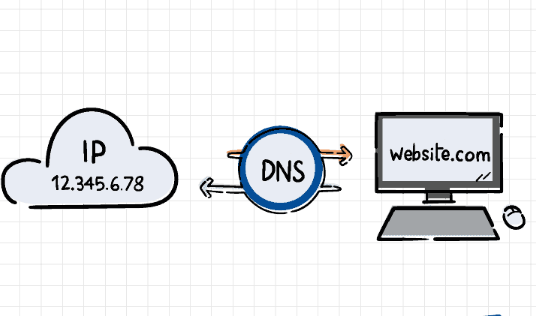
To accurately determine whether it is DNS hijacking or DNS poisoning, it is first necessary to compare the resolution results across regions. Multiple DNS servers can be used for testing. If the anomaly only occurs under a specific ISP's network, and the returned results correspond to advertisements, malicious redirects, or unfamiliar IPs, it is more likely to be hijacking; if multiple DNS servers show different resolution results, and the regional differences are significant, it is more likely to be poisoning. Secondly, command-line tools can be used for precise verification, such as using the nslookup, dig, or host commands to view the real records of authoritative DNS and compare the local return values to see if they have been tampered with. If the authoritative DNS returns a correct value but the user-side resolution fails, it indicates tampering or cache pollution along the way.
Another criterion is the access behavior itself. DNS hijacking usually results in a website that can be "opened," but with abnormal page content, such as redirects, inserted ads, distorted page styles, or SSL error alerts. DNS pollution, on the other hand, can cause a website to be completely inaccessible or fail to access in some regions. For CDN-based websites, pollution can affect node allocation, causing users to be resolved to incorrect edge nodes, resulting in slow access and loading failures. Using Traceroute or Ping to test the target IP can also help determine if the resolution falls within a normal network path, avoiding responses from incorrect servers.
Once the problem type is identified, the solutions are completely different. DNS hijacking can generally be avoided by changing DNS servers or enabling encrypted DNS (DoH/DoT) to bypass ISP links. If a website receives numerous user reports of hijacking, consider enabling HSTS, full-site HTTPS, DNSSEC, and other technologies to reduce the risk of hijacking. For forced advertising hijacking at the ISP level, solutions can be found through complaints, filing for recordation, or communication with the service provider. If malware hijacking is involved, local system cleanup or router firmware replacement is required.
Resolving DNS poisoning is typically more complex, requiring a server-level approach. This includes deploying intelligent resolution using nodes in multiple locations both domestically and internationally, enabling self-built recursive DNS, optimizing global access paths using Anycast technology, and adjusting DNS TTL to reduce the impact of caching errors. If severe poisoning causes domains to be unresolved across borders, consider using a DNS service provider with global anti-pollution capabilities to enhance stability through DNSSEC, encrypted recursion, and EDNS support. In extreme cases, it may even be necessary to change the domain name to bypass regional blocking and ensure continued business accessibility.
In actual website operation and maintenance, DNS resolution problems are often well-hidden, leading many website owners to mistakenly believe it's due to server instability or program errors. Regularly performing global DNS health checks, monitoring domain name resolution consistency across regions, and recording user access anomaly feedback are crucial for preventing prolonged access problems. Proper use of CDN, intelligent DNS, and multi-node deployment can also significantly reduce access issues caused by poisoning or hijacking.
The key to identifying DNS hijacking and DNS poisoning lies in analyzing characteristics, comparing multi-source resolution, testing different network environments, and checking authoritative records. Only with a sufficient understanding of how DNS works can the cause be quickly located and the most effective recovery plan implemented as soon as an anomaly occurs. Regardless of website size, a stable and reliable DNS is the foundation for the normal operation of network services. Proactive protection and monitoring can avoid most potential risks and provide users with a more stable and smooth access experience.
FAQs:
Q1. My website suddenly redirects to an unfamiliar advertising page. Is this DNS hijacking?
A1: Most likely, especially if it only occurs in a specific network environment. You can immediately change your DNS server to verify.
Q2. Can DNS poisoning be resolved by changing DNS servers?
A2: In some cases, yes, but cross-regional poisoning usually has a greater impact and requires multi-regional intelligent resolution or changing DNS service providers to completely avoid it.
Q3. How can I quickly determine if my DNS is poisoned?
A3: Use `dig` to query public DNS servers in multiple regions. If the resolution results differ significantly or some regions return NXDOMAIN, it is most likely poisoning.
Q4. Can HTTPS websites be hijacked?
A4: Although it's more difficult, redirection can still occur through man-in-the-middle attacks, ISP injection, or malware, so it cannot be completely avoided.
Q5. Can using a CDN prevent DNS poisoning?
A5: A CDN can reduce the impact of poisoning, but if the DNS layer is tampered with, it can still lead to incorrect node allocation. It needs to be used in conjunction with a secure DNS service.
 Latest Posts



 Online Customer service



