
 DNS Intelligent Resolution

 Custom Authoritative DNS
 Cloud Computing Services

 Server Rental
 DDoS protection
 About DNS.COM
 Support
 Contact Us
 AFF
AFF
 API Docs

 CN
CN
 EN
EN

How can I set up a GoDaddy domain as a DNS server for use?
We registered a domain name, example.com, with GoDaddy and want to set it up as a public DNS server to provide resolution services for other domains, such as ns1.example.com. How do we do this? Below, I'll explain it step-by-step in a simple and easy-to-understand way to avoid making mistakes on your first attempt.
I. Preparation
First, register a domain name. Then, prepare one or more servers to set up a DNS server system and obtain the corresponding DNS server IP address. Here, our IP address is 192.168.1.2.
II. Operation Steps
1. Log in to the backend, find DNS domain management, click on the corresponding domain example.com, and configure the domain settings.
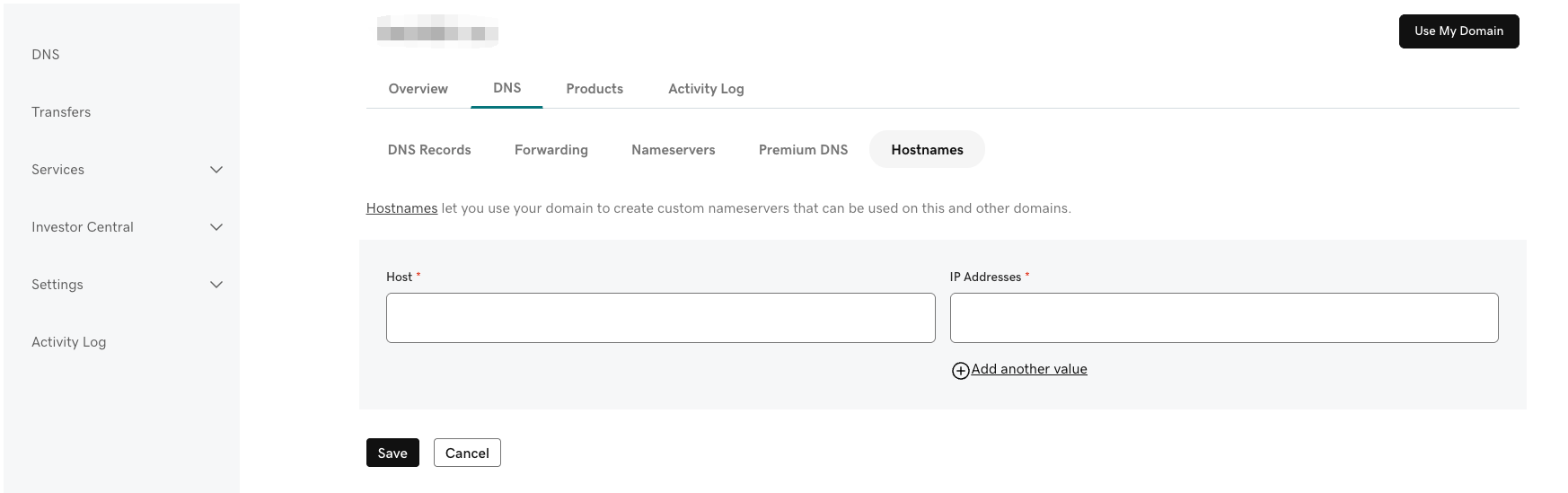
2. Find Hostnames and add the corresponding host headers and IP addresses, as shown in the image below.
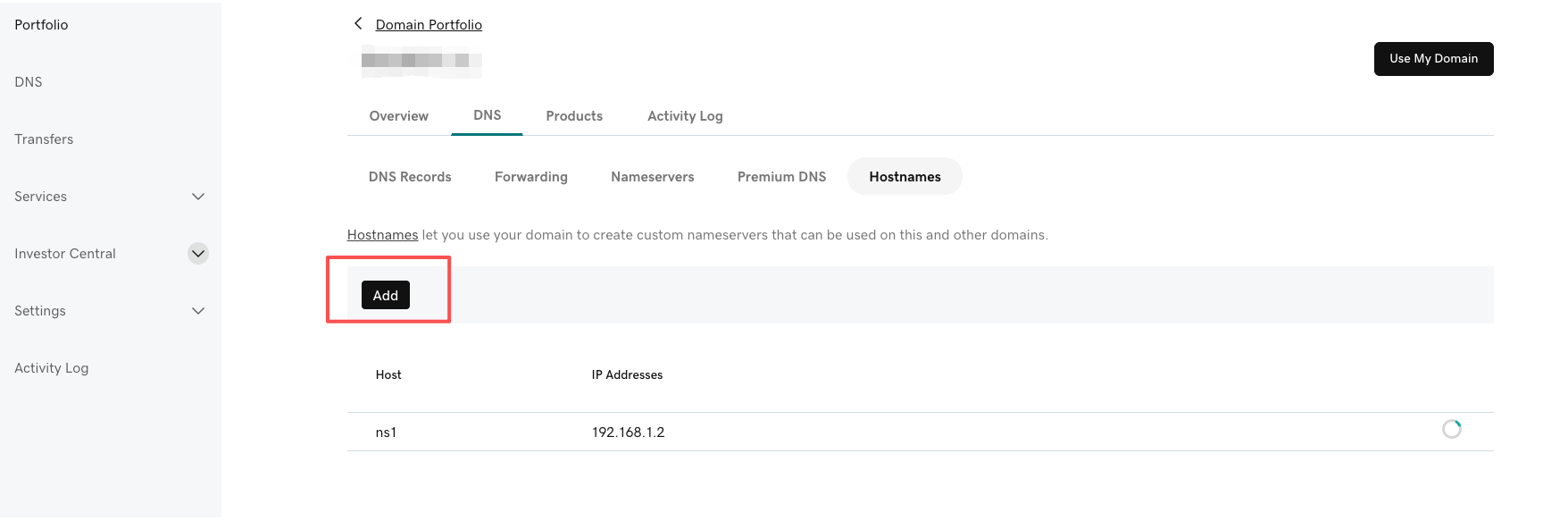
3. If you have multiple host headers and IP addresses, you can continue adding them, as shown in the image below.
4. After adding them, it's recommended to resolve the corresponding host headers and IP addresses, as shown in the image below.
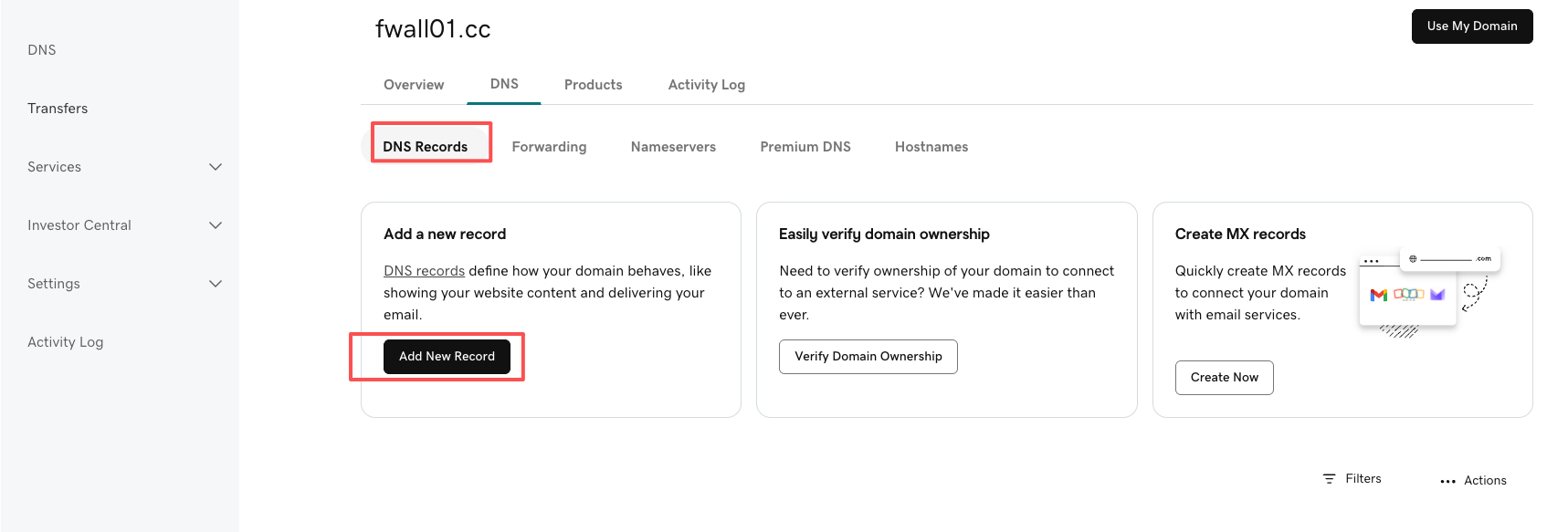
In the DNS Records section, click Add, save, and it will generally take effect in 10 minutes to 1 hour.
 Latest Posts



 Online Customer service



