
 DNS Intelligent Resolution

 Custom Authoritative DNS
 Cloud Computing Services

 Server Rental
 DDoS protection
 About DNS.COM
 Support
 Contact Us
 AFF
AFF
 API Docs

 CN
CN
 EN
EN

OpenClaw Quick Integration Guide for Discord
Time : 2026-03-31 10:52:50
Edit : DNS.COM
Prerequisites
Before configuring OpenClaw for Discord integration, please make sure the following requirements are met:
- You have registered and have a valid Discord account.
- You have purchased a cloud server that supports OpenClaw deployment. If not, you may go to the lightweight cloud server product purchase page to select one.
Connect to Discord
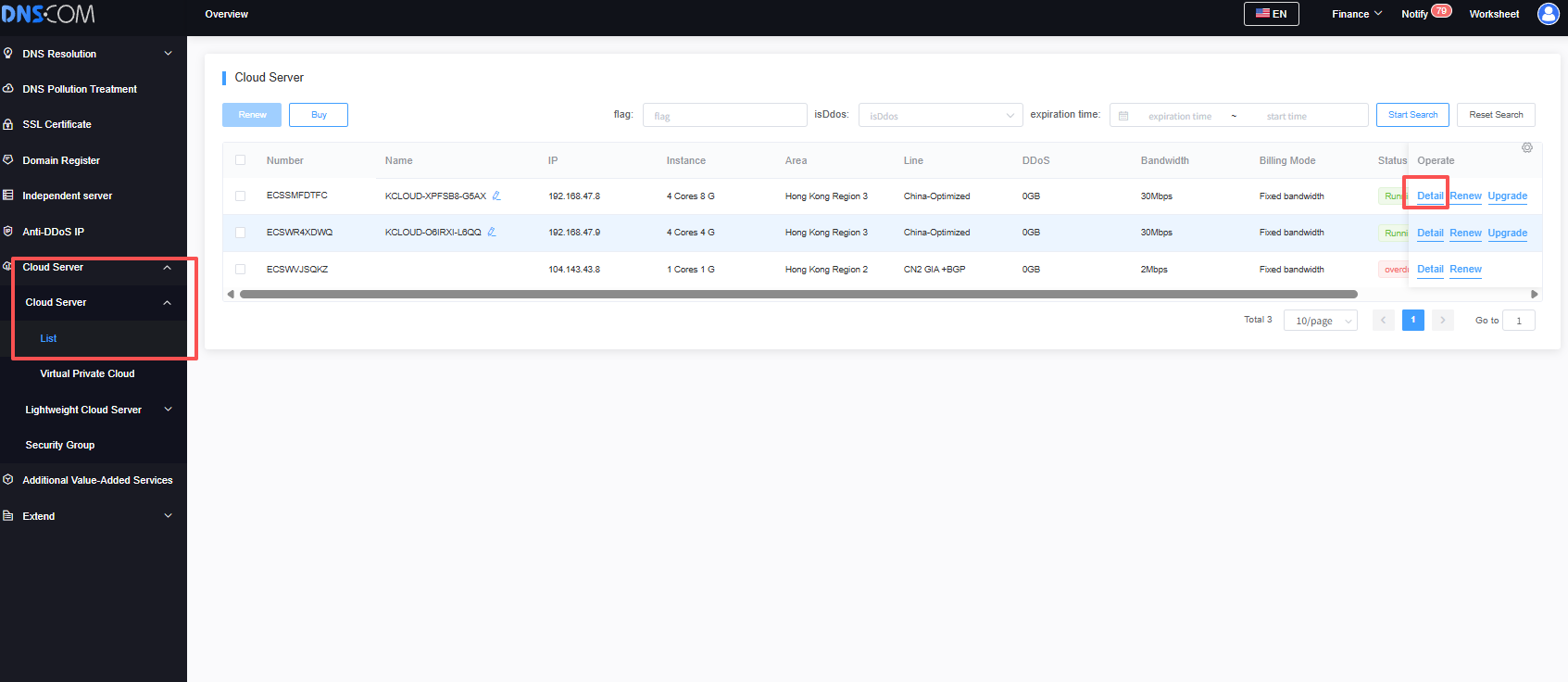
Enter the DNS console, select your cloud server, and view the details.
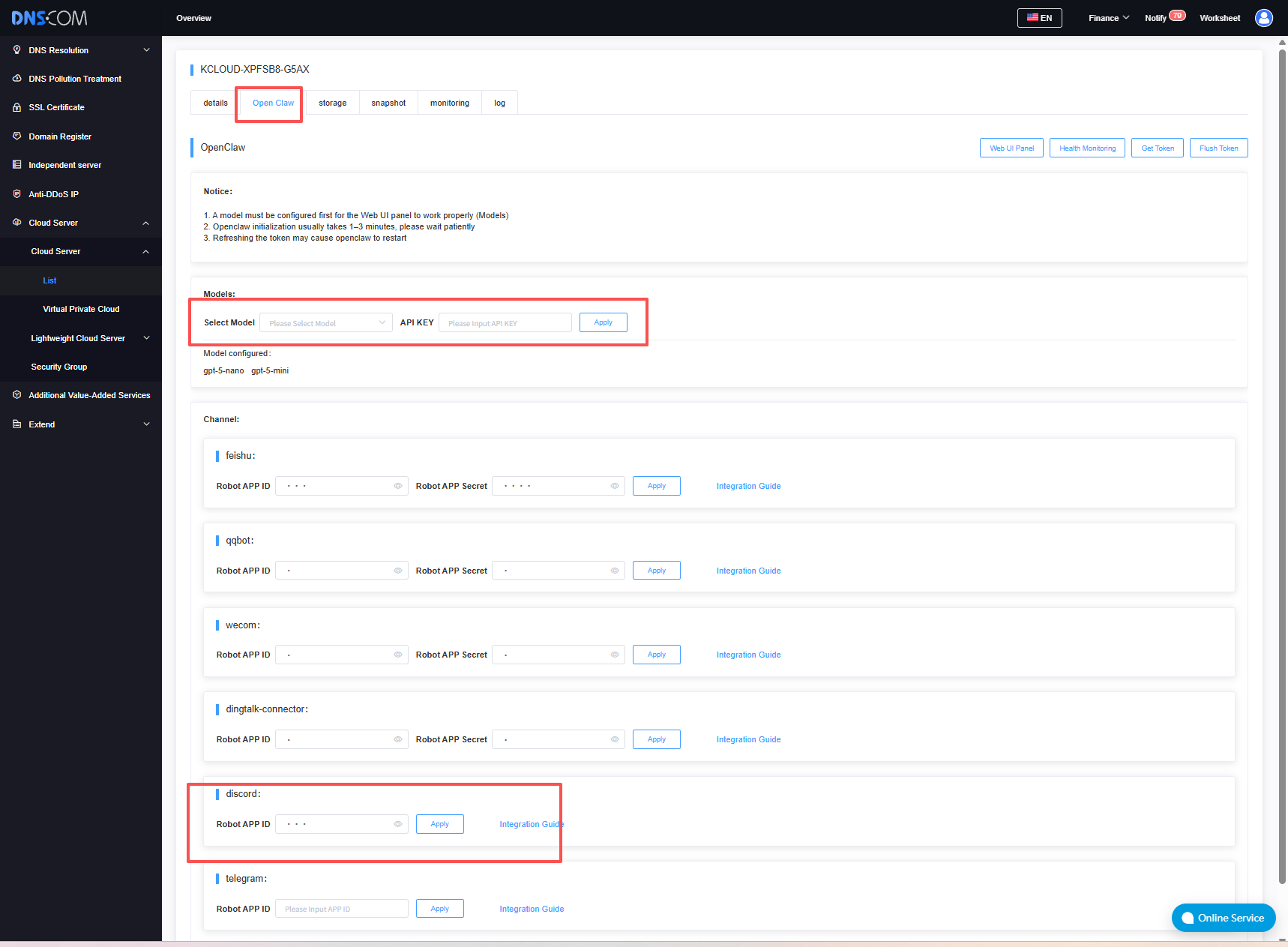
Configure the OpenClaw model and channel.
More Tutorials
OpenClaw Quick Integration Guide for Discord
OpenClaw Quick Start Guide for QQ
OpenClaw Quick Start Guide for WeCom
 Latest Posts



 Online Customer service



