
 DNS Intelligent Resolution

 Custom Authoritative DNS
 Cloud Computing Services

 Server Rental
 DDoS protection
 About DNS.COM
 Support
 Contact Us
 AFF
AFF
 API Docs

 CN
CN
 EN
EN

One-Click Deployment of OpenClaw on Cloud Server
Introduction
Recently, the open-source AI assistant application OpenClaw, commonly known as "Long Xia" (Lobster) in Chinese, has quickly gained popularity in the global tech community and become a high-profile AI application. To help users deploy it quickly and avoid complicated manual configuration, DNS Cloud Server now fully supports one-click deployment of OpenClaw. No professional technical background is required, and it can be set up in just a few steps. This guide details the deployment process, configuration methods, precautions, and more, with full image-text instructions to help you smoothly set up your dedicated AI assistant.
Prerequisites for One-Click Deployment of OpenClaw
- You need a DNS Cloud Server with a configuration of 2 cores and 2GB RAM or above. If you do not have one, please go to the cloud server product page to purchase first.
Cloud Server Purchase Process
On the top navigation bar of the homepage, select Server Rental → China Hong Kong Optimized Bandwidth Cloud Server / Lightweight Cloud Server
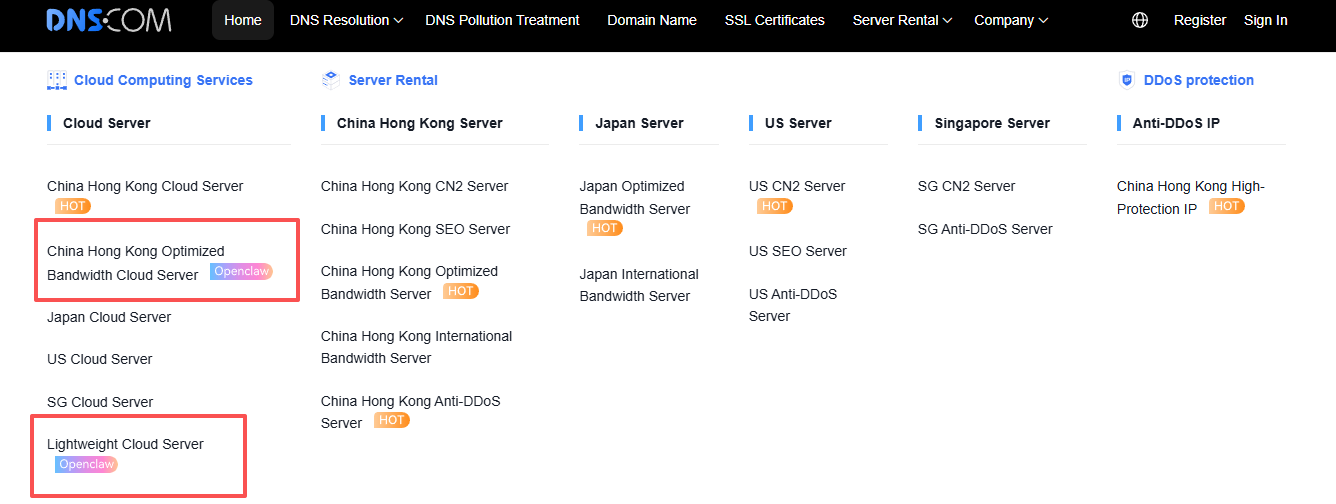
It is recommended to choose a cloud server with 2 or more CPU cores and 2GB or more RAM, which supports one-click deployment of OpenClaw.
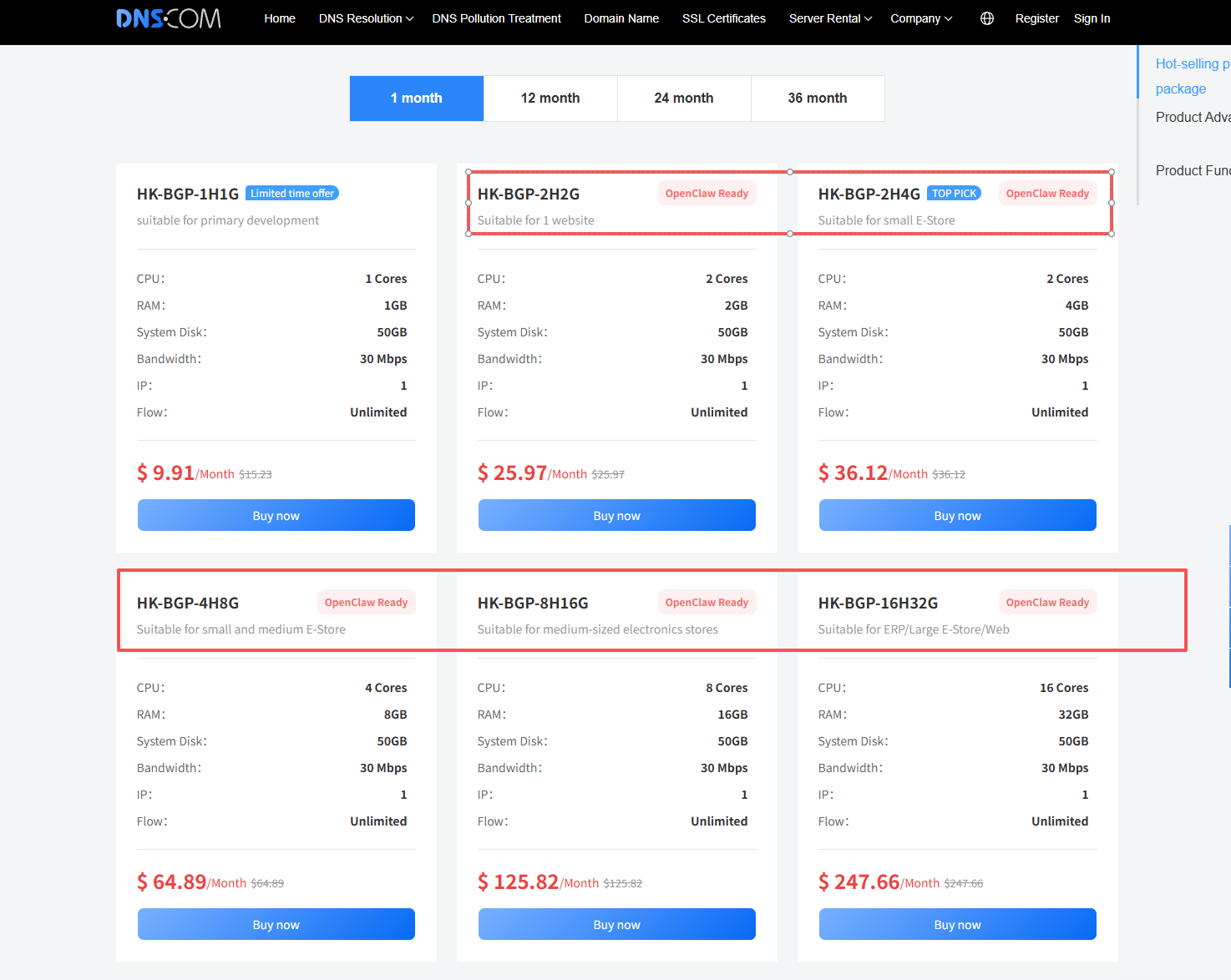
Select a specific configuration plan and complete the order and payment.
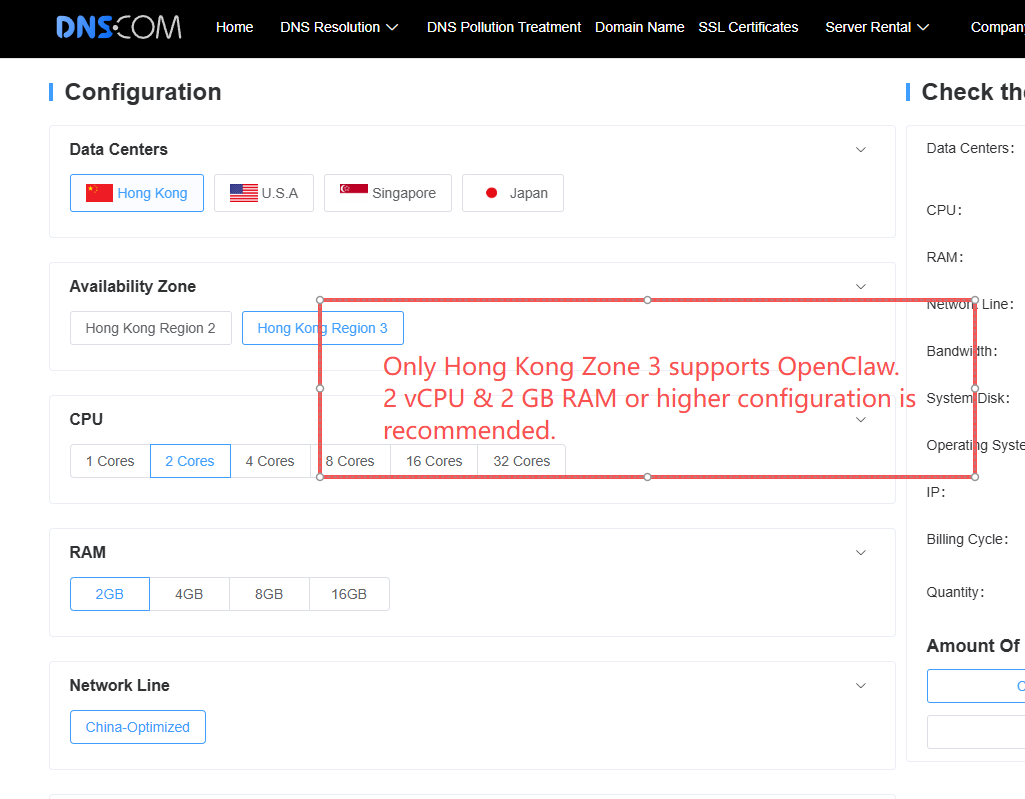
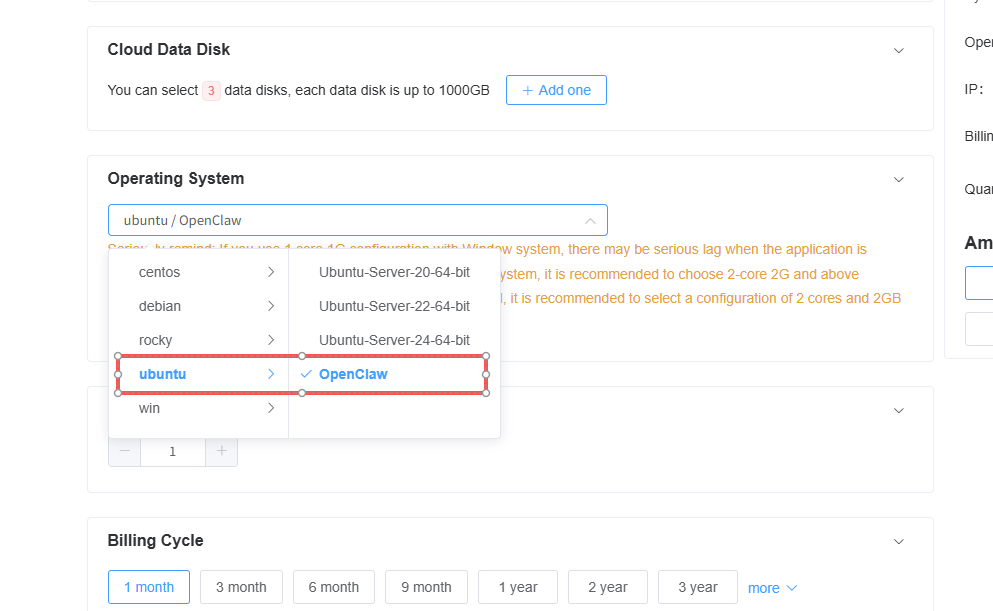
Please select the ubuntu-OpenClaw system image. Currently, only Hong Kong Zone 3 is available.
Note:
Users need to purchase the API key for each model from the corresponding model platform.
Some large models are not supported in the Hong Kong region. Details are as follows:
| Supported in Hong Kong | Not supported in Hong Kong |
| Kimi K2.5 | GPT-5 Nano |
| MiniMax M2.5 | GPT-5 Mini |
| GLM-5 | GPT-5.3 |
| GLM-4.7 | Claude Opus 4.6 |
| GLM-4.7 Flash | Claude Sonnet 4.6 |
| GLM-4.7 FlashX | Claude Haiku 4.5 |
| Gemini 3.1 Pro Preview |
OpenClaw Model and Channel Configuration
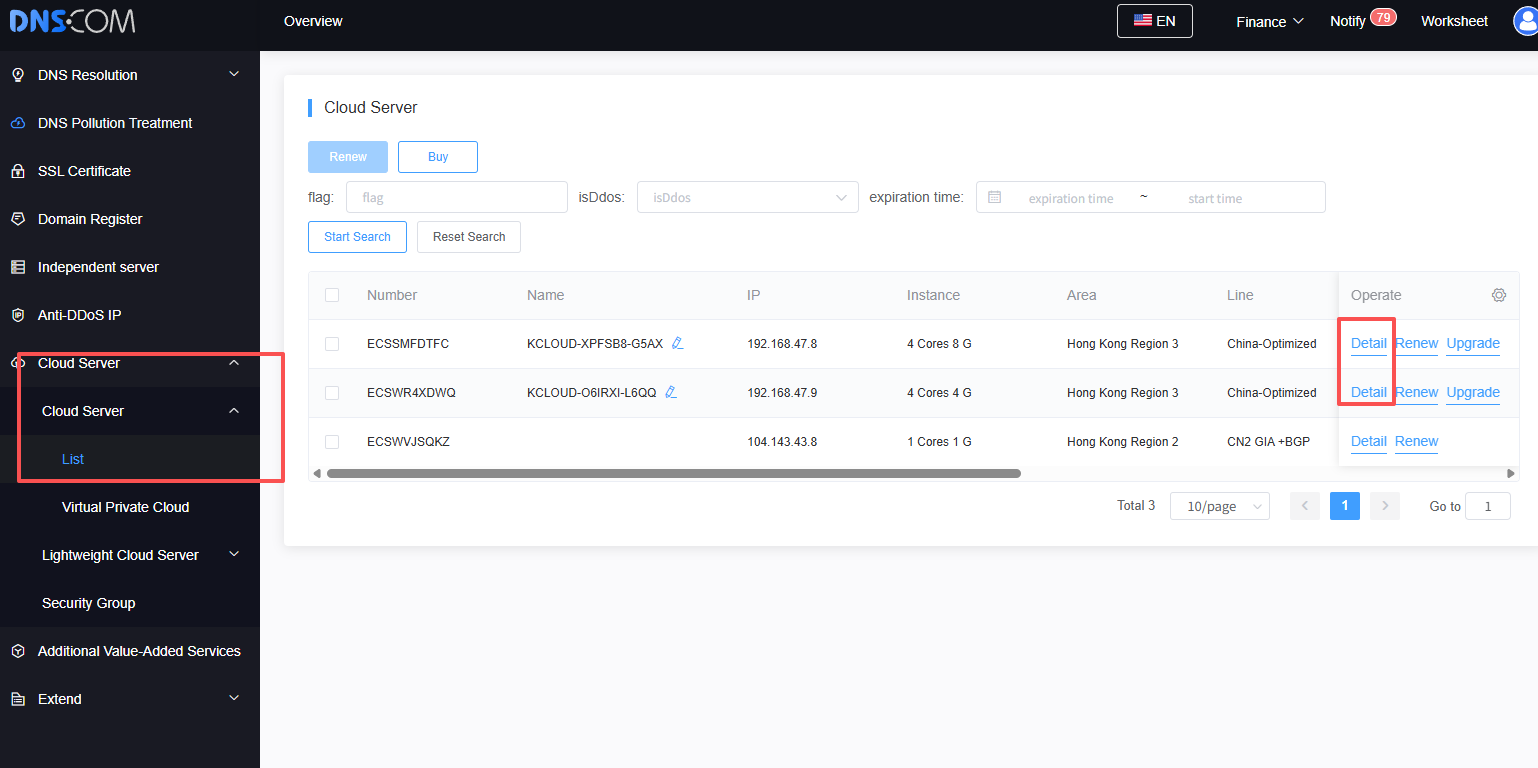
After the server is created, OpenClaw will be automatically installed and deployed on the server synchronously. In the cloud server interface of the console, click Cloud Server Details and select OpenClaw to perform subsequent model and channel configuration.
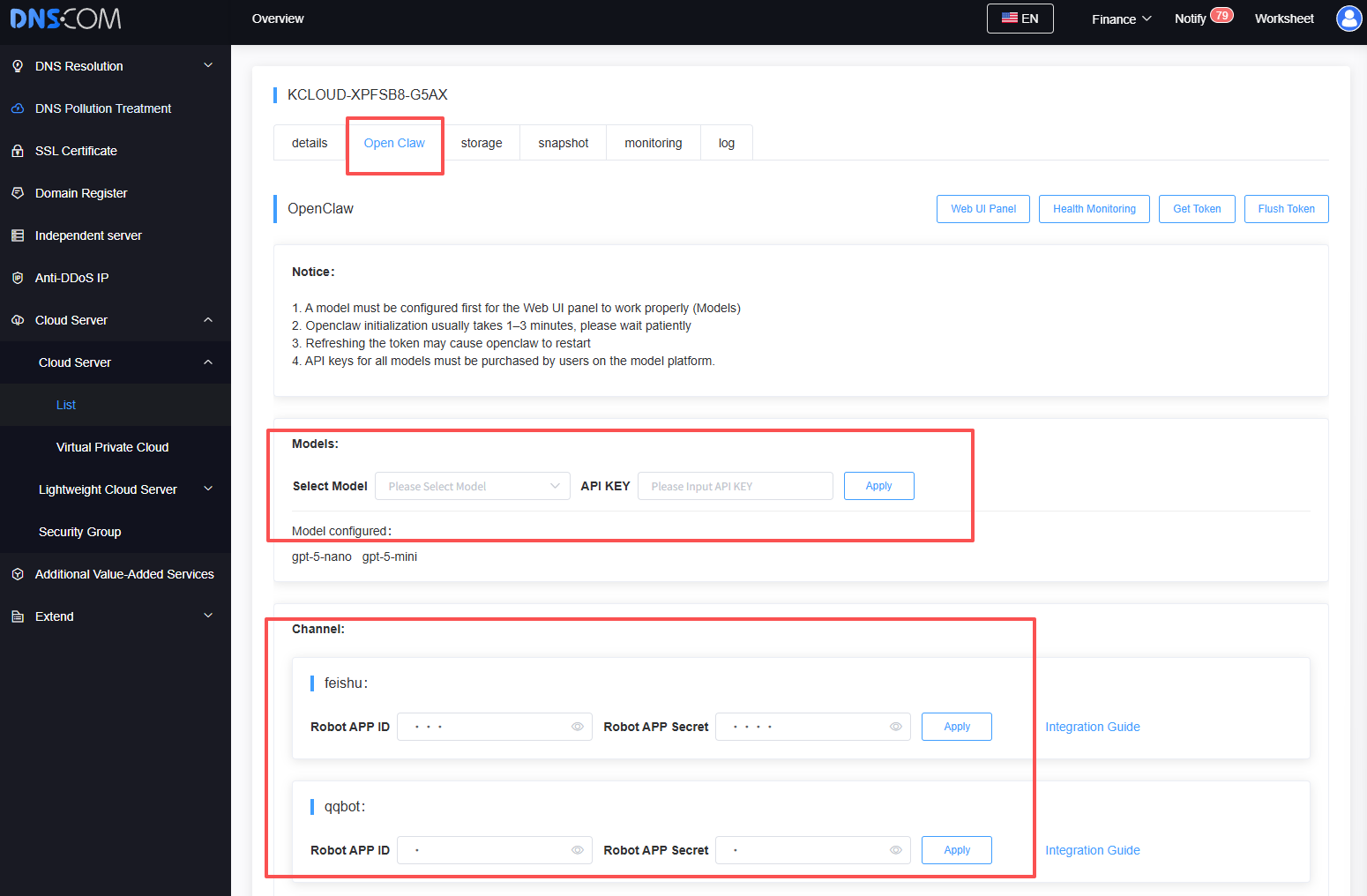
Configure Model and Channel
Six channels are currently supported: Feishu, QQ, WeCom, DingTalk, Discord, and Telegram.
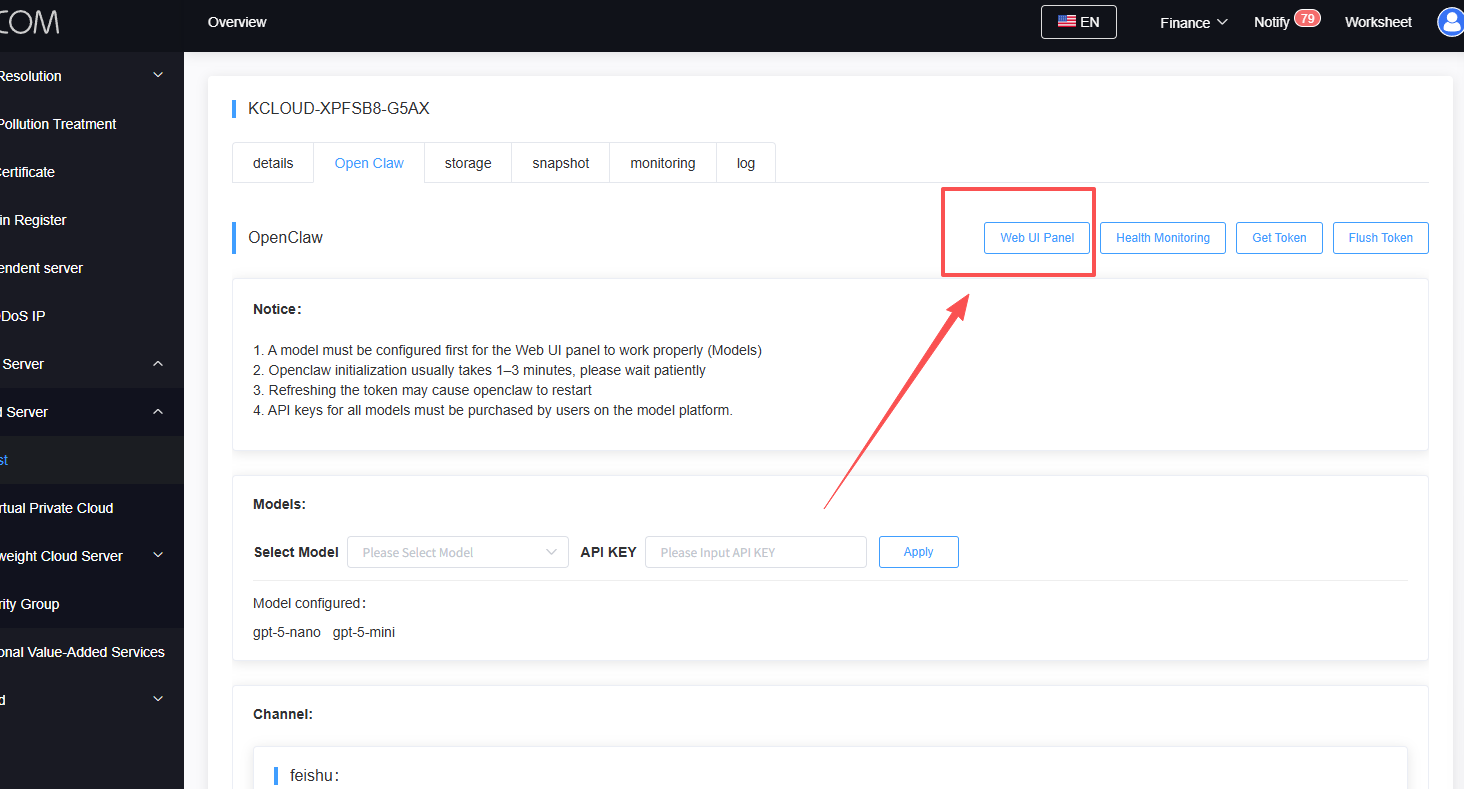
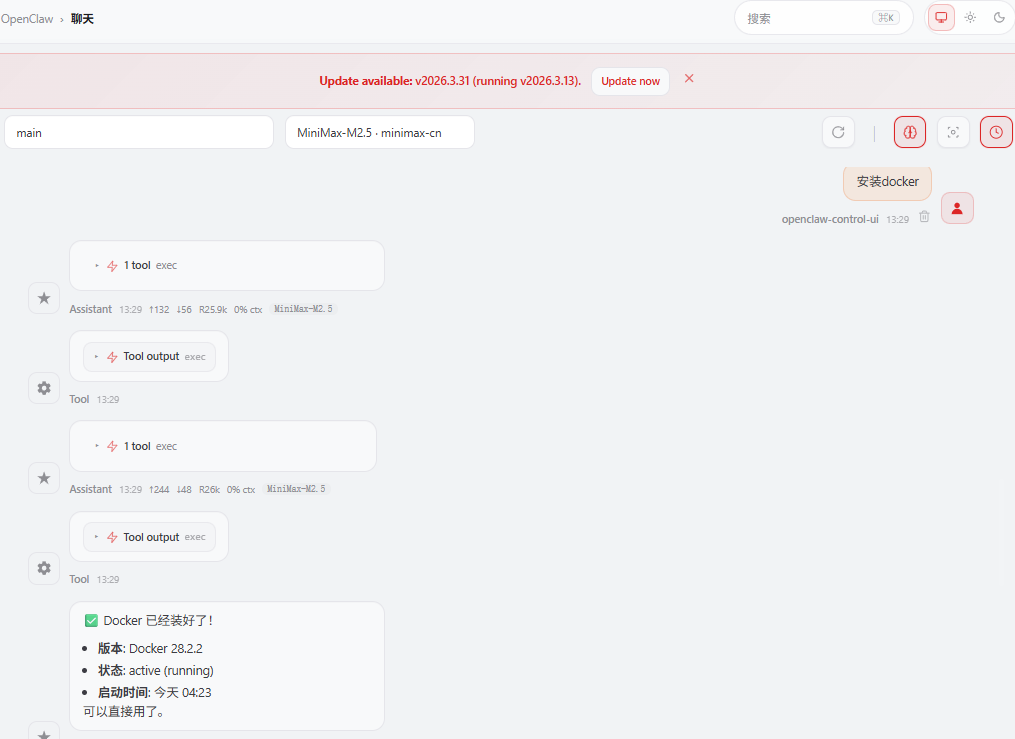
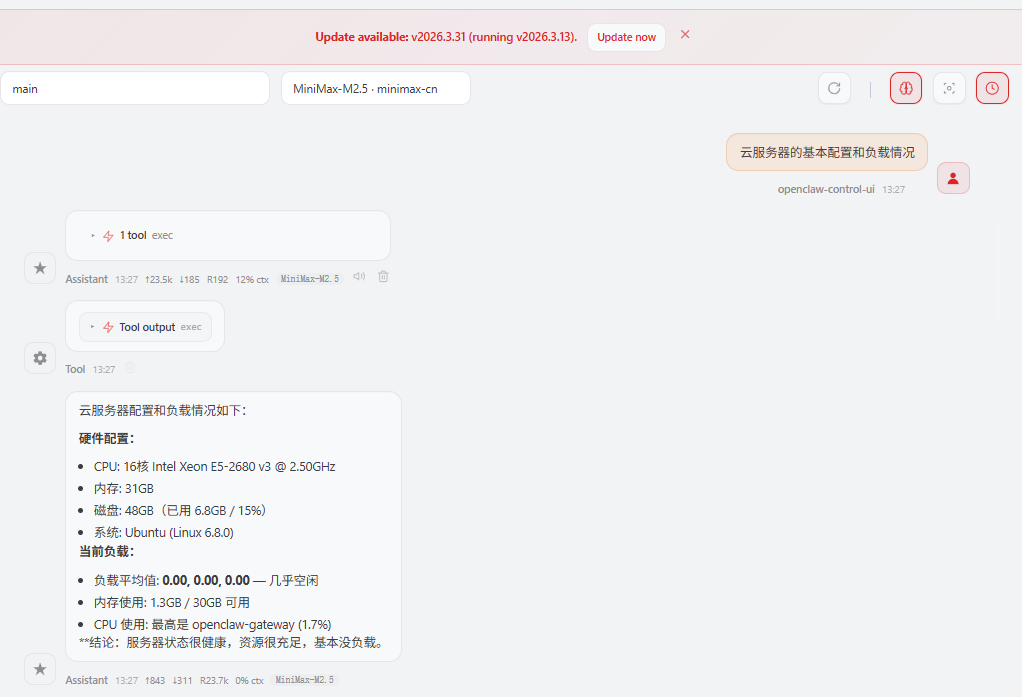
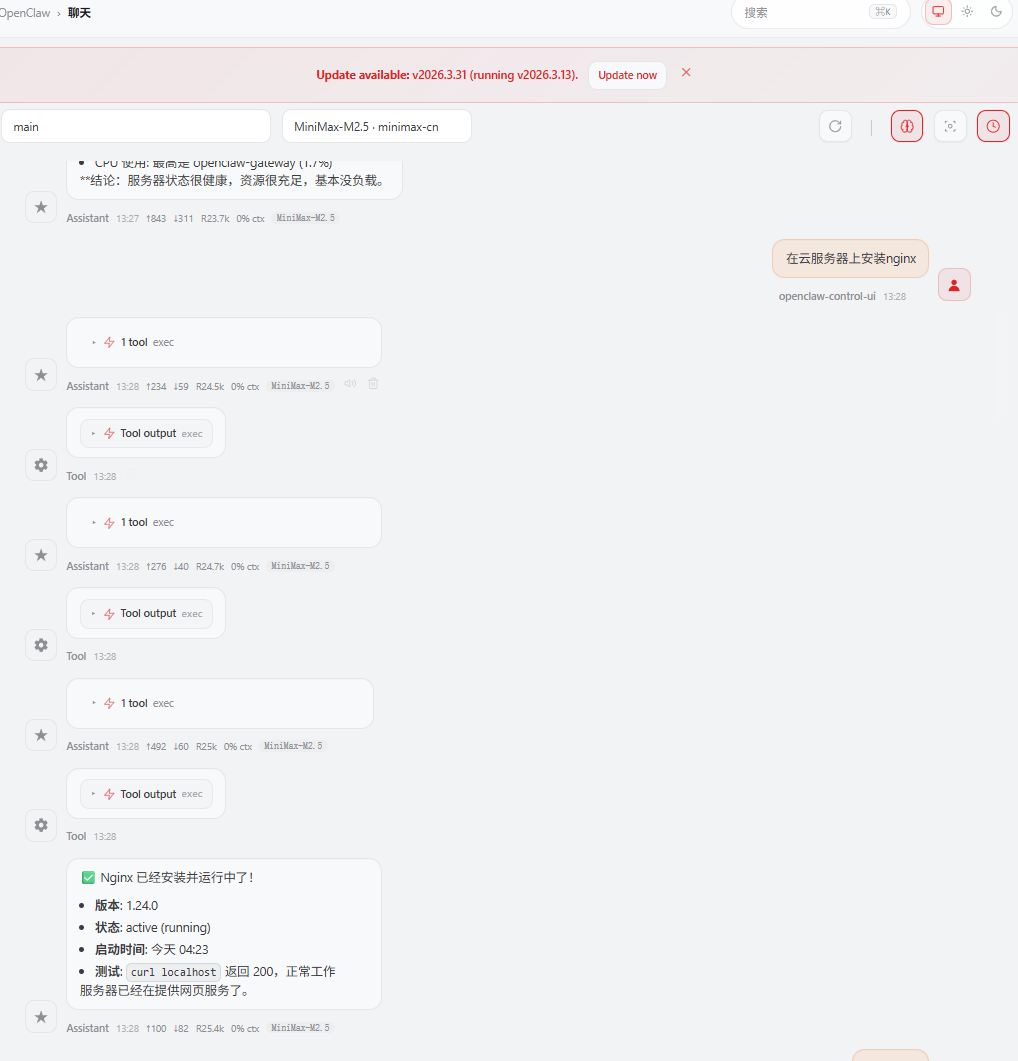
After configuration, you can go to the Web UI panel to chat with the AI directly.
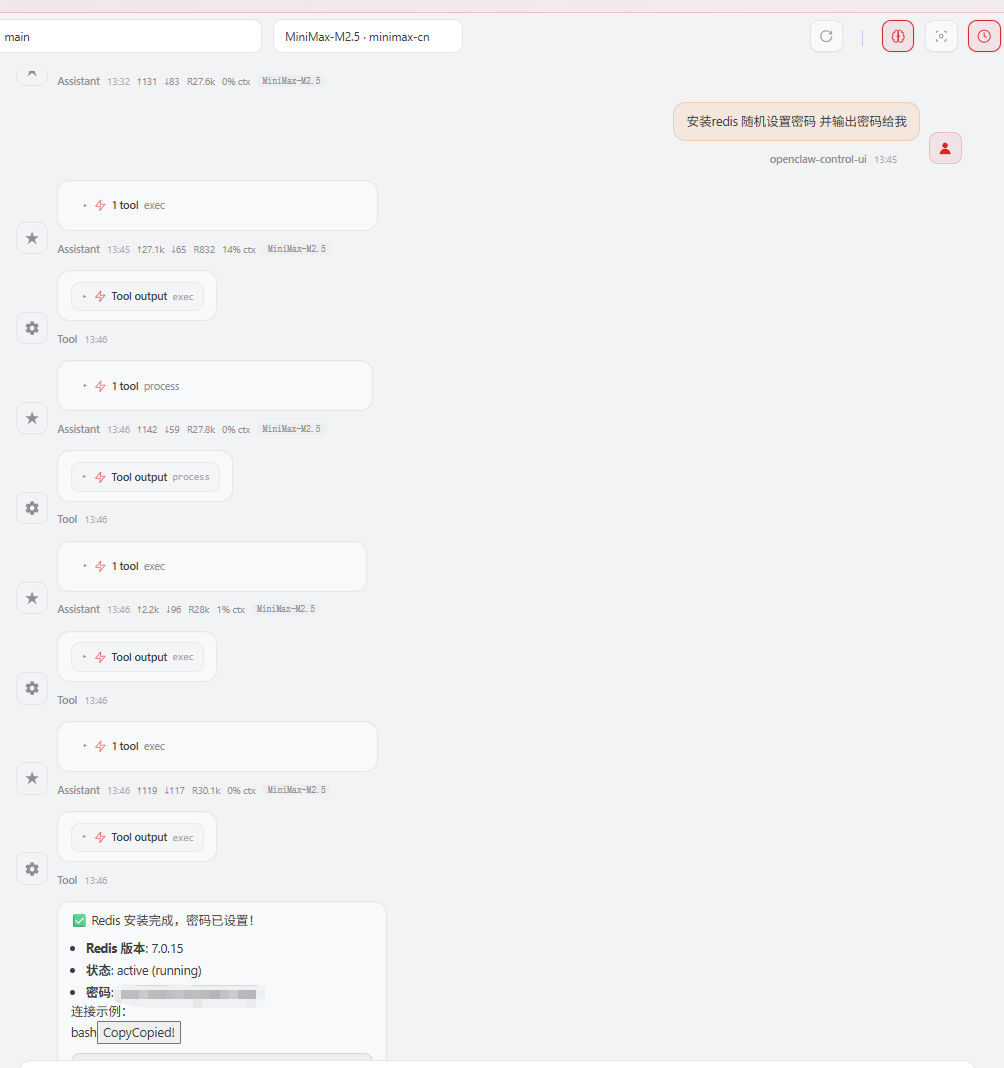
The following are some demonstrations
 Latest Posts



 Online Customer service



